Use Reflash to test and maintain battery voltage in a vehicle at a selected voltage to allow for uninterrupted reprogramming of vehicle’s computer, retain vehicle system settings, or simply to maintain battery voltage.
At any time during the test, tap  to return to the previous screen; or
  to return to the Main Menu.
- Connect the DCA clamps to the battery.
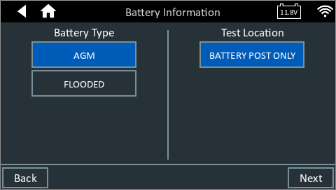
- At the Main Menu, tap Reflash. The battery information screens are displayed. Start by selecting the Battery chemistry and test location
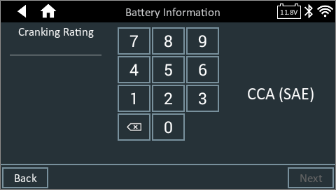
Next, select the cranking and capacity ratings.

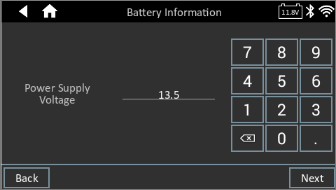
3. Next, confirm your Power Supply voltage.
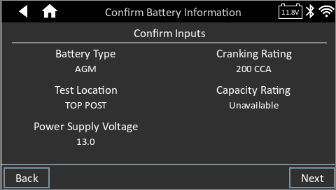
4. Confirm your battery information inputs, and select Next to proceed. If you need to revise any selections, press back and return to the screen needing the change.
5. The DCA will start to supply power for your reflash needs. Once you are done, select Stop to proceed to the results screen.
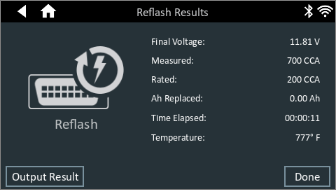
6. The Reflash Results screen is displayed. If you would like to print or email the results, select Output Result. Otherwise, press Done to return to the Home screen.